

The Evolution of the Front-of-Room: Digital Podium vs. Traditional Lectern
- February 20, 2026
- Posted by: Abhishek Pratap Singh
- Category: Blogs
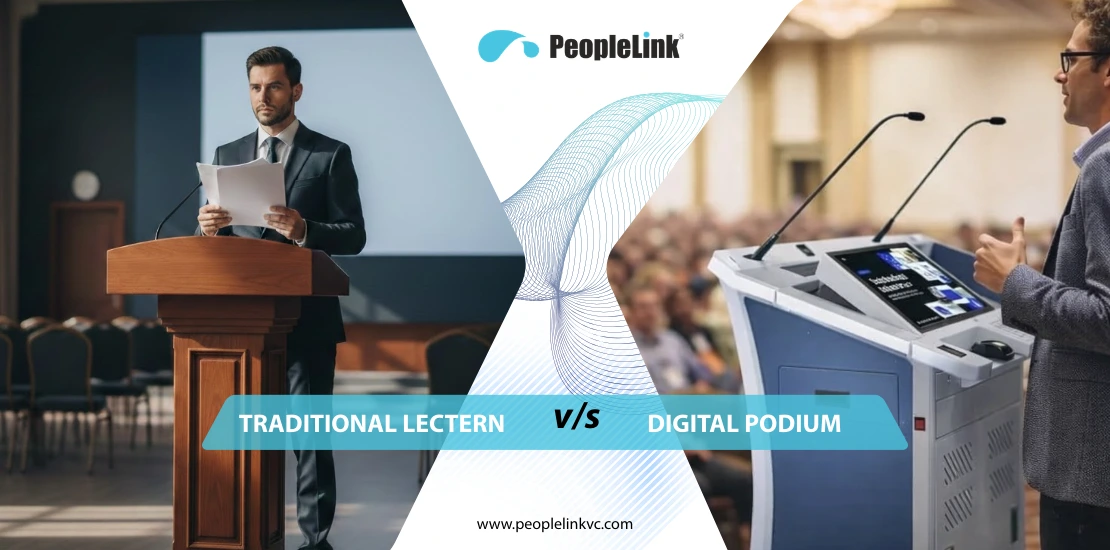
The landscape of education and corporate training has undergone a seismic shift. As we navigate the complexities of 2026, the evolution in education is no longer just about moving content online it’s about how we command the physical and hybrid space. At the heart of this transformation is the “command center” of the room. When comparing a digital podium vs traditional lectern, it becomes clear that the wooden stand, once a symbol of authority, has become a bottleneck for modern pedagogy. Today, the front-of-room experience requires smart teaching solutions that bridge the digital divide between the presenter and the audience.
What is a Digital Podium?
A digital podium is a high-performance, integrated presentation hub that serves as the “brain” of a Smart classroom or boardroom. Unlike a static desk, it combines computing power, a professional audio system, and interactive classroom technology into a single, ergonomic station.
Essentially, it is an all-in-one console designed to give the speaker complete classroom control. By integrating a high-resolution touch screen and centralized AV integration, it allows educators to manage multimedia content, room lighting, and even remote participants without ever leaving their post.
Core Comparison: Digital Podium vs Traditional Lectern
When evaluating the difference between digital podium and lectern, it is helpful to view them through the lens of a “Passive Stand” versus an “Active Command Center.” While they share a similar silhouette, their impact on the teaching experience is worlds apart.
The Traditional Lectern: A Static Barrier
For decades, the wooden lectern was the anchor of the lecture hall. However, in the context of 2026’s interactive classroom technology, it has increasingly become a technical bottleneck.
- The “Cable Nest” Struggle: Because a traditional lectern lacks built-in intelligence, the presenter is responsible for the setup. This leads to the “five-minute shuffle”—fumbling with HDMI adapters, finding power outlets, and managing tangled wires.
- The Anchor Effect: Being tethered to a wall plate by short cables means the speaker is physically stuck. This limits body language and eye contact, creating a “sage on the stage” dynamic that modern evolution in education seeks to replace with collaborative learning.
- Media Limitations: If a teacher wants to show a video or switch to a document camera, they must walk away from the audience to reach a wall-mounted switch or a separate desk, breaking the flow of the lesson.
The Digital Podium: An Integrated Command Center
A smart podium for classroom environments removes these hurdles by consolidating every tool into a single ergonomic housing.
- All-in-One Functionality: It replaces four or five separate devices (PC, audio mixer, switcher, controller, and desk) with one unified system.
- Fluid Presentation Flow: The speaker stays facing the audience. Using the touch screen, they can annotate a slide, launch a 3D simulation, and adjust room volume all with a single tap.
- Hybrid-Ready by Design: Unlike a wooden stand, a digital podium features native AV integration. It captures “digital ink” and studio-quality audio directly, ensuring remote participants see a crystal-clear broadcast rather than a blurry camera view of a whiteboard.
Head-to-Head Comparison Table
| Feature | Traditional Lectern | PeopleLink Digital Podium |
|---|---|---|
| Interaction Style | Passive: A place to hold papers. | Active: A tool to create and edit content live. |
| Multimedia Support | None; requires external setup. | Integrated: Built-in PC, HDMI, and Wireless. |
| Audio Capability | Relies on external room mics. | Pro-Audio: Integrated 100W DSP & Mics. |
| Room Control | Manual wall switches. | Centralized: Control lights & screens via touch. |
| Teaching Impact | Fragmented; tech causes distractions. | Fluid; tech enhances the message. |
| Durability | Wood; prone to scratches & | Industrial: Metallic alloy built for |
Key Features of PeopleLink Digital Podiums
- Interactive Touch Screen: High-pressure sensitivity for natural “digital ink” writing and real-time annotation.
- High-Gain Audio System: Integrated DSP (Digital Signal Processing) and gooseneck microphones capture studio-quality audio, essential for hybrid classroom equipment.
- Centralized AV Integration: A single interface to control projectors, motorized curtains, and lighting.
- Industrial Strength: Constructed from high-quality metallic alloys, designed to be scratch-resistant and durable for high-traffic environments.
How Does a Digital Podium Work?
The operation of a smart podium is designed to be human-centric and intuitive.
- Startup: The presenter activates the system via a single power button or RFID card.
- Integration: The internal PC or connected laptop feeds content to the touch screen.
- Interaction: Using a stylus or finger, the speaker interacts with the content. These interactions are processed and sent to the room’s main display and any remote participants via digital teaching platforms like inClass from InstaVC.
- Control: Through a specialized control interface, the podium communicates with other room peripherals (IoT devices) to adjust the environment for the presentation.
Industry Use Cases
1. Schools, Colleges, and Universities
From K-12 to Higher Ed, digital podiums support “spontaneous teaching.” A professor can quickly open a browser, pull up a 3D model, and draw over it to answer a student’s question, keeping the classroom “alive.”
2. Corporate Training Rooms
In corporate settings, time is money. Smart teaching solutions reduce technical downtime and ensure that training sessions are professional, high-impact, and easily recorded for future use.
3. Corporate Boardrooms
Executive communication requires a polished, cable-free environment. Digital podiums offer a sleek aesthetic while providing the tools needed for high-stakes town halls and global video conferences.
Advantages of the Digital Podium
1. Better Student Engagement
Studies in educational psychology show that “Multi-Modal Learning” using sight, sound, and touch significantly increases memory retention. When a presenter uses the touch screen, students are witnessing a process rather than just listening to a lecture.
2. Improved Learning Outcomes
Digital teaching enablement allows for clearer visuals and audio inclusivity. Integrated audio ensures that students in the back of the hall or those with hearing difficulties don’t miss a word.
3. All-in-One Solution & Reduced Clutter
By consolidating the amplifier, PC, and switcher, you eliminate the “tech anxiety” caused by disparate devices. This leads to a professional, streamlined look that reflects the institution’s commitment to quality.
4. Future-Ready Infrastructure
As technology moves from 4K to 8K and beyond, PeopleLink’s modular podiums allow for internal component upgrades without replacing the entire unit, protecting your long-term ROI.
Buying Guide: What Should You Choose?
Before investing, consider the scale of your space and the technical proficiency of your users.
PeopleLink E-Podium Comparison
| Feature | Delta Plus | Ultra Plus | Signage Ultra |
|---|---|---|---|
| Best For | Schools/K-12 | University Labs/Boards | Auditoriums/Gov |
| Interaction | 21.5″ Touch Screen | 21.5″ Touch Screen | 21.5″ Touch Screen |
| Specialty | Value & Reliability | Motorized Lift & Control | 32″ Front Digital Signage |
Key Factors to Consider Before Buying
- Security: Look for lockable compartments and RFID access to protect internal PC components.
- Ergonomics: Motorized height adjustment (like in the Ultra Plus) is vital for multi-user environments.
- Scalability: Ensure the podium can integrate with your existing Learning Management System (LMS) and hybrid classroom equipment.
Conclusion: The Smart Choice for 2026
In the battle of digital podium vs traditional lectern, the winner is clear. One is a remnant of a passive past; the other is the engine of a dynamic, interactive future. To meet the demands of modern learners and professionals, institutions must move toward integrated, smart podium for classroom solutions.
PeopleLink is the trusted partner for government, education, healthcare and corporate sectors globally. By choosing our digital podiums, you aren’t just buying our podium you are investing in your educators, your students, and a future-ready infrastructure.
Ready to modernize your space? Don’t let your presenters be tethered to the past. PeopleLink provides the professional, solution-oriented AV integration you need to excel.
Is the learning curve steep for non-technical educators?
Not at all. PeopleLink designs systems to be as intuitive as a smartphone. If you can use a tablet, you can use a digital podium. The “Plug-and-Play” nature allows most users to be up and running in under 60 seconds.
Can I use my own laptop with the podium?
Yes. While the podium has an internal PC, it features easy-access ports for HDMI and USB-C, allowing you to use your own device while still utilizing the podium’s built-in audio system and touch screen.
How does a digital podium help with hybrid learning?
It serves as the gateway for remote learners. By capturing “digital ink” and high-quality audio directly from the source, it ensures that remote students see a clear digital broadcast rather than a blurry camera view of a whiteboard.
Are digital podiums more expensive than traditional lecterns?
Initially, yes. However, when you factor in the cost of buying a separate PC, amplifier, switcher, and controller plus the labor to install them the advantages of digital podium solutions include a much lower Total Cost of Ownership (TCO).
What maintenance is required?
Because they are built with industrial-grade metallic bodies, they require very little physical maintenance. Software can often be managed remotely by your IT facility manager via a central dashboard.