

How to Choose the Right Interactive Panel for Classroom: The 2026 AI Buyer’s Guide
- April 29, 2026
- Posted by: Damanjeet Kaur
- Categories: Blogs, Edtech
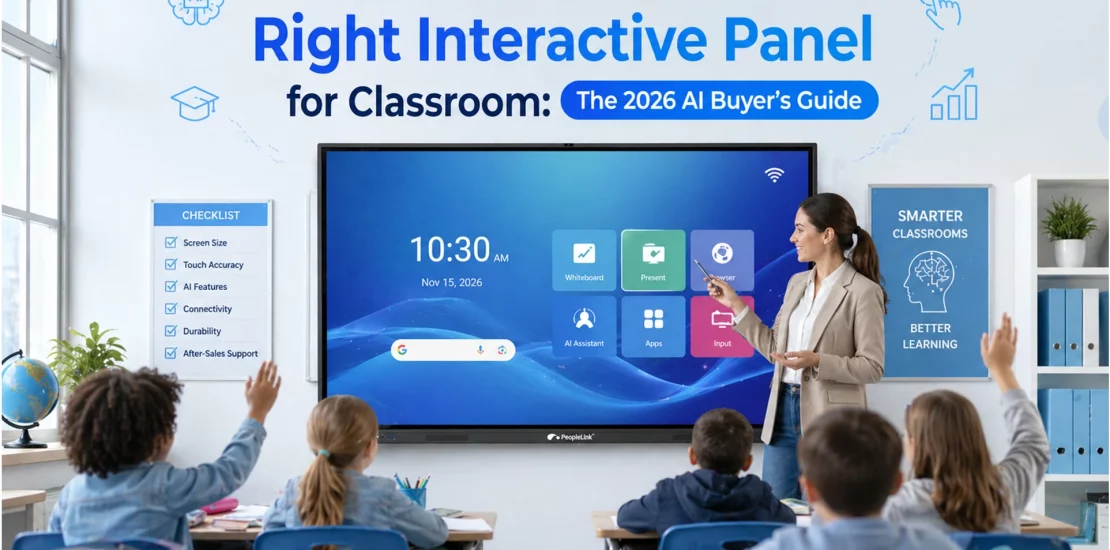
Quick answer: An interactive flat panel is a large touchscreen display for classrooms and meeting rooms that replaces the projector and whiteboard with one digital surface for writing, presenting, and video collaboration. It matters because it removes calibration, dim-room limits, and separate hardware. PeopleLink builds interactive panels and boards that integrate with its cameras, audio, and room software.
Investing in a modern AI smart board settings is the most significant step an institution can take toward digital transformation. In 2026, a high-quality interactive panel for classroom engagement must go beyond simple touch; it must serve as an AI-driven hub for teaching, presentation, and collaboration. Whether you are upgrading a single room or an entire campus, the right interactive panel for classroom success ensures visual equity for every student. By choosing an AI-integrated solution, like the PeopleLink AI Live Board X-Series, educators can automate administrative tasks and focus entirely on delivering impactful, future-ready lessons.
Comparing display options? See PeopleLink’s interactive displays and interactive flat panels.
Beyond the Board: Architecting the Intelligent Learning Ecosystem
The traditional classroom of chalk dust and passive note-taking is history. In 2026, educational leaders are adopting intelligent learning environments. The Interactive Flat Panel (IFP), a touchscreen integrating a computer, whiteboard, and multimedia capabilities-has evolved from a simple display to a strategic hub for AI-powered classrooms, effectively connecting physical and digital instruction.
Defining Your Intended Purpose
Before diving into the specs, you must define the space’s primary goal. PeopleLink panels are engineered to excel in three distinct functional areas:
A. Teaching (The Pedagogical Powerhouse)
For K-12 and Higher Ed, the panel acts as an interactive canvas. AI handwriting recognition and summaries let teachers maintain eye contact with students while lessons are digitized in real time.
- Key Focus: Annotation, AI whiteboarding, and educational app integration.
B. Presentation (The Visual Authority)
In lecture halls and boardrooms, the panel serves as a high-brightness window to information. It must handle 4K video flawlessly and offer lag-free wireless casting from multiple devices.
- Key Focus: Clarity, color accuracy, and seamless media playback.
C. Collaboration (The Ideation Hub)
For labs and coaching centers, the goal is “many-to-one” interaction. Multi-touch technology allows several students to brainstorm, manipulate 3D objects, or code together on the same screen.
- Key Focus: 40-point multi-touch, split-screen modes, and cloud-saving.
The PeopleLink AILive Board X-Series: Finding Your Perfect Scale
The PeopleLink AILive Board X-Series ensures every student has an identical view of the content, regardless of room layout.
| Model | Use Case | Room Type | Capacity |
|---|---|---|---|
| X55 / X65 | Collaboration | Huddle Rooms / Labs | 1 to 15 |
| X75 | Teaching | Standard Classrooms | 20 to 35 |
| X86 | Mixed Use | Large Classrooms / Training | 35 to 55 |
| X98 / X110 | Presentation | Auditoriums / Grand Halls | 55+ |
Essential Factors When Selecting an Interactive Panel for Classroom Use
Display Quality & Eye Safety
Every AILive Board X-Series panel provides 4K Ultra-HD resolution (3840 × 2160, meaning 3840 horizontal pixels and 2160 vertical pixels). In 2026, eye health is a priority; look for panels with Flicker-Free technology (which reduces screen flickering that can cause eye strain) and Low Blue Light certifications (which limit blue light emission to protect eyes) to help students during long study sessions.
Touch Precision: Zero-Bonding 3.0
PeopleLink uses Zero-Bonding technology, which eliminates the air gap between the glass and the LCD (liquid-crystal display).
- Teaching Benefit: It feels like writing with a real pen on paper.
- Collaboration Benefit: Accurate touch response even when five students are using the board at once.
Dual OS Architecture
Your panel should be “OS agnostic” (compatible with multiple operating systems). The X-Series features a dual-boot system: Android 13/14 (mobile operating systems) for instant-on whiteboarding.
- Windows (via OPS, or Open Pluggable Specification-a standard for adding computing modules): A slide-in PC module for running full desktop-grade software like AutoCAD or specialized STEM (Science, Technology, Engineering, and Mathematics) simulations.
AI Features: The New Standard for 2026
Integrated AI is what separates a “big TV” from a “Smart Panel.”
- AI Whiteboarding: Automatically snaps hand-drawn circles into perfect geometry and converts messy cursive into legible digital text.
- Voice Recognition: Teachers can use voice commands to switch between Presentation and Teaching modes hands-free.
- AI Camera Tracking: The built-in 4K camera uses auto-framing to follow the teacher as they walk across the room, essential for hybrid learning.
- Auto-Summaries: Post-session, the AI analyzes the whiteboard content and voice recording to generate a bulleted summary for student review.
Interactive flat panel vs. Traditional Tools
| Feature | Option 1 | Option 2 | Option 3 |
|---|---|---|---|
| Visibility | Fades in daylight | Low | High-Nit 4K (Anti-glare) |
| Purpose | Presentation only | Teaching only | All-in-One |
| AI Features | No | No | Yes (Full Suite) |
| Lifespan | 3-5 years (Bulbs) | 2 years (Ghosting) | 15+ Years (50k Hours) |
Common Mistakes to Avoid
- Under-sizing: Choosing an X65 for an auditorium is the quickest way to lose student engagement in the back row.
- Neglecting Audio: A presentation is useless if it can’t be heard. PeopleLink panels include integrated Subwoofers and Mic Arrays.
- Ignoring AI Integration: Opting for a standard display without AI capabilities in 2026 risks rapid obsolescence, leaving your institution with legacy hardware that lacks the essential intelligence required for modern, adaptive pedagogy.
Conclusion: Elevate Your Educational Vision
Choosing the right interactive panel for classroom use depends entirely on your balance of Teaching, Presentation, and Collaboration. With the PeopleLink AILive Board X-Series, you aren’t just buying a display; you are installing a teacher’s best friend.
Is the X110 too big for a standard classroom?
The X110 is best for presentations in large halls. For standard K-12 rooms, the X75 or X86 is usually the perfect balance of size and budget.
Can students share screens from different devices?
Yes. PeopleLink panels support simultaneous wireless casting from Windows, Android, iOS, and macOS devices.
Does it integrate with Google Classroom or leading collaboration platforms?
Absolutely. The panels are fully compatible with all major LMS and Video Conferencing platforms.
Is there a recurring fee for AI features?
No. Core AI features like handwriting recognition and voice commands are built in with no hidden subscription costs.
How does the AI handle different languages?
The AI engine supports multilingual handwriting recognition, including English, Hindi, and major international languages.
Can IT manage panels remotely?
Yes. Centralized Device Management (DMS) enables IT teams to push updates and manage all campus panels from a single dashboard.

| Display option | Interactive flat panel | Projector + whiteboard |
|---|---|---|
| Brightness in lit rooms | High, consistent | Dims, needs low light |
| Setup | Plug in, no calibration | Alignment and bulb upkeep |
| Digital content and saving | Built in | Not supported |
| Touch and annotation | Native multi-touch | Manual marker only |
Ready to upgrade your rooms?
See PeopleLink’s AV and Unified Communications solutions in action, or get pricing built around your needs.