

Top 5 AV Technologies You Need for Your Modern Meeting Rooms
- November 19, 2025
- Posted by: Abhishek Pratap Singh
- Categories: AV-Tech, Blogs
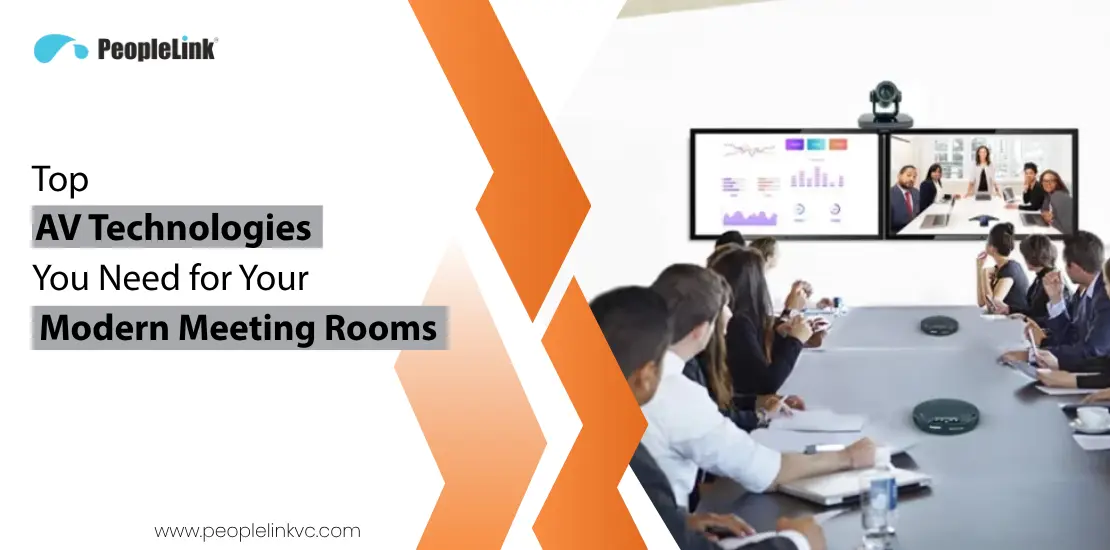
Quick answer: A meeting room solution is the matched set of camera, audio, display, and room endpoint that turns a space into a reliable video collaboration room. It matters because mismatched parts are the main cause of failed meetings. PeopleLink delivers complete room solutions as a single OEM, so the room is specified, supported, and updated as one system.
A Modern meeting room is supposed to be the center of collaboration. This is where the team comes to connect, make decisions, and create new ideas. However, today these rooms have been a source of friction, not progress. This problem has become critical in the age of hybrid teams, where remote participants cannot collaborate effectively with those physically in the room. To fix this, we must redefine the meeting room. Modern meeting rooms must evolve from a passive space into an intelligent, seamless environment. This transformation is only possible with a core ecosystem of modern AV (Audio-Visual) technologies. In this guide, we will show you the 5 must-have technologies that form the essential foundation for any successful modern meeting room.
Standardizing meeting rooms? Explore PeopleLink’s meeting room solutions and room endpoints.
What is a Modern Meeting Room in Today’s World?
The definition of a meeting room has changed completely in just the last few years. When you hear the term, you might still picture a long table with a single speakerphone in the center and a simple display at the end. But that idea is now outdated. Today’s modern meeting room is an intelligent, connected, and flexible environment built for one specific purpose: hybrid work. Its single most important job is to create an equal experience for everyone, whether they are in the physical room or joining remotely. The goal is to make the technology disappear so teams can collaborate naturally, without feeling like “in-person” and “remote” are two separate groups.
The Unique Challenge: Solving for “Meeting Equity”
This new hybrid model presents a unique challenge: meeting equity. In a traditional setup, remote participants feel disconnected. They can’t hear side conversations, they can’t see what’s being drawn on a physical whiteboard, and they struggle to be seen and heard. This creates an uneven playing field that hurts collaboration and makes effective team collaboration impossible. A modern meeting room is designed specifically to solve this problem.
What the Modern Meeting Room Requires
Because the purpose of the room has changed so dramatically, the conference technology and AV (Audio-Visual) systems required to power it have also changed. A modern room relies on a complete AV system an ecosystem of technologies working together to create a single, seamless experience. We can organize them into six main categories.
1. Video Systems
- AI-Powered Cameras: Smart cameras that automatically frame the group or zoom in on the person talking (known as auto-framing and speaker tracking).
- All-in-One Video Bars: A single device that combines the camera, microphones, and speakers.
- PTZ (Pan-Tilt-Zoom) Cameras: For larger rooms, a separate camera that can be controlled to focus on different areas.
2. Audio Systems
- Beamforming Microphones: Smart mics (in-ceiling, on-table, or in the video bar) that focus on the speaker’s voice and ignore background noise.
- Acoustic Echo Cancellation: Software that prevents the “echo” sound when a remote person’s voice comes out of the speakers and goes back into the mic.
- Integrated Speakers: High-clarity speakers that make remote voices sound clear and natural.
3. Display Systems
- Interactive Displays (Digital Whiteboards): Touch-screen displays that allow both in-person and remote users to write and draw on the same shared document.
- Commercial 4K Displays: Bright, high-resolution screens to show remote participants and shared content. (Often in a “dual display” setup: one for people, one for content).
4. Content Sharing Systems
- Wireless Presentation Systems: Technology (like a USB dongle or app) that lets anyone share their laptop screen to the main display instantly, without cables.
- “Bring Your Own Device” (BYOD) Support: The ability for anyone to join the meeting and share content easily from their personal laptop.
5. Room Control Systems (How You Use the Room)
- In-Room Touch Panel: The “brain” of the room. A single tablet on the table that shows the schedule and lets you start the meeting with a single tap (“One-Touch-Join”).
- AV Processor/Codec: The (often hidden) central computer that connects and controls all the other AV devices.
6. Room Management Systems (How You Find the Room)
- Room Scheduling Panels: Small displays outside the room that show its schedule (with red/green lights for availability) and connect to the company’s calendar.
- Occupancy Sensors: Sensors that detect if people are in the room, allowing the system to auto-book an empty room or release a “no-show” reservation.
The 5 Must-Have AV Technologies for a Modern Meeting Room
In the previous section, we explored the complete ecosystem of AV technologies. They work together to solve the biggest challenges of hybrid work. While every piece has its role, there are 5 that are truly non-negotiable for any successful, modern video conference room.
AV Technology #1: AI-Powered Video Conferencing Cameras
Modern conference cameras are not just simple webcams; the best are intelligent, AI-powered devices that act as a virtual video director for your meeting. This technology uses built-in artificial intelligence to analyze the room and decide what to show remote participants. You need this because the biggest problem for remote attendees is feeling disconnected. A traditional camera shows a static, wide-angle view of the room, making it impossible to see facial expressions or know who is talking. When you adopt an AI-powered camera, that all changes. The camera automatically performs “auto-framing” to frame the entire group perfectly, and “speaker tracking” to intelligently zoom in on the person who is speaking. This creates a dynamic experience that makes remote participants feel like they are right there in the room.
AV Technology #2: AI-Powered Video Conferencing Microphones
A modern microphone is a smart microphone. An old speakerphone simply picks up all the sound in a room the voices, the air conditioner, the keyboard typing. An AI-powered microphone system is different. It uses a technology called beamforming to create a “beam” of hearing that it can aim directly at the person who is talking. Simultaneously, it uses noise cancellation to identify and remove all those other distracting sounds. You need this technology because bad audio is the number one reason hybrid meetings fail. If remote participants hear constant background noise, echoes, or voices that sound faint and distant, they become frustrated and for these meetings, virtual collaboration becomes impossible. Once you adopt AI-powered audio, the result is crystal-clear sound. Your remote participants will only hear the human voices from the meeting room. All the distracting background noise is erased. This means fewer interruptions, less frustration, and a much more professional meeting. People can finally understand each other perfectly, which is the most basic requirement for a successful meeting.
AV Technology #3: Touch-enable Interactive Flat Panel Display (IFPD)
An Interactive Flat Panel Display, is the modern replacement for both your old projector and your old-fashioned whiteboard. Think of it as a giant, 4K-resolution tablet for your meeting room wall. It is a high-quality display that you can also write on with a special pen or just your finger. It is a display and a digital whiteboard all in one. This is a must-have because the traditional whiteboard is useless for hybrid work. People in the room can draw on it, but remote participants can’t see it. The IFPD solves this completely. When you write or draw on the interactive screen, that same image appears instantly on the laptops of everyone in the meeting. When you adopt an IFPD, you unlock true, real-time collaboration. It becomes a shared space where everyone can work together. A person in the room can circle an idea on the board, and a remote person can add a note right next to it. When the meeting is over, you can save the digital file and email it to everyone instead of taking blurry photos of a physical board.
AV Technology #4: Wireless Presentation Systems
A wireless presentation system is a technology that lets you share your laptop’s screen onto the main room display without plugging in any cables. In the past, you had to find the correct HDMI or VGA cable and plug it into your computer. This technology replaces that mess. It usually works with a small button (called a “dongle”) that you plug into your laptop’s USB port. You press the button, and your screen instantly appears on the main display. You need this because those old cables are a constant source of friction. The first five minutes of most meetings are wasted searching for the right cable, wondering if you have the right adapter, or calling IT for help. This wastes time and starts every meeting with a feeling of frustration, especially for guests who come in with different laptops. When you adopt a wireless presentation system, your meetings start on time. Anyone an employee or a guest can walk in and share their screen in seconds. It’s simple and reliable. It removes all the cable clutter from the table and eliminates the most common technical problems. It just works, allowing your team to focus on the meeting itself, not the technology.
AV Technology #5: In-Room Touch Panel Controller
This is the central brain of your entire meeting room. It is a small tablet that sits on the conference table. This one screen connects to and controls the entire audio-video conference system the camera, the microphones, the display, and the meeting software. This is a must-have because, without it, a meeting room is confusing and intimidating. You would have one remote for the display, another for the camera, and a separate speakerphone to control. An employee walking in for their room meeting wouldn’t know what to do. This technology prevents that particular hesitation that stops many people from even using the room. When you adopt a touch panel controller, you make the room simple for everyone. It delivers the single most important experience: the one-touch-join. You walk into the room, see your scheduled meeting listed on the tablet, and press one single Join button. Instantly, the display turns on, the camera and mics activate, and your meeting conference call starts. It takes a complex, powerful system and makes it as easy to use as an ATM.
Recommended AV Technology for Your Specific Meeting Room
The Top 5 Must-Haves AV Technology are your foundation, but the specific technology you buy depends on the room’s size and purpose. Different av rooms are built for different needs. Here are our specific AV recommendations for every type of meeting room setup.
1. The Huddle Room (2-4 People)
This is a small, casual room for 2-4 people that people use for spontaneous, quick collaborations. So AV technology must be grab-and-go and require zero setup.
For this setup, you need:
- An All-in-One Video Bar: It’s a single device that contains the AI camera, smart microphones, and speakers.
- A 4K Display: A 55-inch or 65-inch screen is ideal.
- Wireless Presentation: You need a simple, plug-and-play wireless sharing button.
2. The Meeting Room (5-10 People)
This is your standard, everyday workhorse. It’s the classic room for 5-10 people and the most common space for hybrid collaboration. For this setup, you need:
- An AI-powered camera (either a high-end all-in-one bar or a separate camera).
- Dedicated microphones (either one or two table mic pods).
- A large Interactive Flat Panel Display (IFPD) for collaboration.
- A wireless presentation system.
- The dedicated in-room touch panel controller for the “one-touch-join” experience.
3. The Conference Room (10-15 People)
This is a larger, more formal conference room for meeting with 10-15 people. As the room gets bigger, audio and video coverage become the main challenges. Here, you need to upgrade your components. For this setup, you need:
- A High-Performance Camera: You need a PTZ (Pan-Tilt-Zoom) camera with a powerful optical zoom.
- Expandable Audio: You need tabletop microphone pods or ceiling-mounted microphones to guarantee 100% audio coverage.
- A Large Interactive Display: You need a 75-inch or 86-inch IFPD so people at the back of the room can see the content clearly.
- The In-Room Touch Panel Controller: You need this to manage the more advanced components with a single, simple interface.
4. The Large Conference Room or Boardroom (12+ People)
This is your premium, high-stakes environment for board meetings, training sessions, or all-hands presentations. For this setup, you need a fully integrated, pro-level solution.
- For video, you often need a multi-camera system one camera to capture the entire room and a second, auto-tracking camera for the main presenter.
- For audio, you need a professionally installed system with multiple ceiling microphones and in-ceiling speakers that are tuned to the room’s specific acoustics.
- You need two large displays. One display shows the remote participants, and the other display shows the shared content.
- You need a touch panel controller to integrate the AV with the room’s lights, blinds, and other systems.
Why Integration is the Secret to a Modern Meeting Room
Building a modern meeting room is no longer about just upgrading technology. It is a fundamental shift in how you approach collaboration. You need to move from a room-first mindset to a people-first mindset, where every participant whether in the room or joining remotely is on an equal footing. The five must-have technologies we’ve detailed are the essential building blocks for creating that meeting equity. They are the tools that ensure everyone can be seen, heard, and able to contribute. But knowing this list is only the first step. The true challenge is not just in buying these five pieces of hardware. The key to successful modern meeting room solutions is making them all work together as one single, simple, and reliable system. If your AI camera, your microphones, and your interactive display are all from different brands that don’t talk to each other, you haven’t solved the problem. You’ve just created a new, more expensive one. You are still left with a room that is confusing and intimidating for your employees.
Improve Your Modern Meeting Room Experience with PeopleLink
This is where having the right technology partner becomes critical. You need a partner that doesn’t just sell you a box, but instead provides complete audiovisual technology solutions. At PeopleLink, we specialize in designing and delivering seamless audiovisual solutions for hybrid work. We understand how to connect the AI powered cameras, the smart audio systems, and the interactive displays into one ecosystem that is powered by a simple, one-touch-join controller. Our goal is to handle all the complexity so your team doesn’t have to. We make the technology disappear so your team can walk into any room, press one button, and get right to work. If you are ready to have productive, collaborative meetings in true Video-ready Conference Rooms, let’s talk about how we can build your modern meeting room.
FAQs
What is AV in a meeting room?
AV stands for “Audio-Visual.” In a meeting room, this refers to all the technology that lets people see and hear each other, as well as any content being shared. This includes your cameras, microphones, speakers, and displays.
What is essential regarding audiovisual equipment when finishing a meeting room?
The most essential equipment is anything that ensures everyone can be seen, heard, and can easily share content. This includes a high-quality camera, a clear microphone system, a bright display, a wireless presentation system for screen sharing, and a simple touch controller to start the meeting.
What are the technology requirements for video audio conferencing?
At a minimum, you need five things for video audio conferencing: a camera to show your video, a microphone to capture your voice, speakers to hear others, a display to see participants and shared content, and a stable internet connection.
How do AV tools improve meeting productivity?
Good AV tools improve productivity primarily by saving time and reducing frustration. Instead of wasting the first 10 minutes fighting with cables, a “one-touch-join” system starts the meeting instantly. Clear audio and video mean fewer interruptions, and a wireless sharing system lets anyone present their ideas immediately.
How does audio quality impact meeting experiences?
Audio quality is the most critical part of any meeting. Bad audio, such as echoes, background noise, or faint voices, is highly frustrating and makes it impossible to collaborate. Participants will stop paying attention. Good, clear audio makes the meeting effortless and professional, ensuring everyone is heard and understood perfectly.

Ready to upgrade your rooms?
See PeopleLink’s AV and Unified Communications solutions in action, or get pricing built around your needs.